4. Submission & Payment Guide

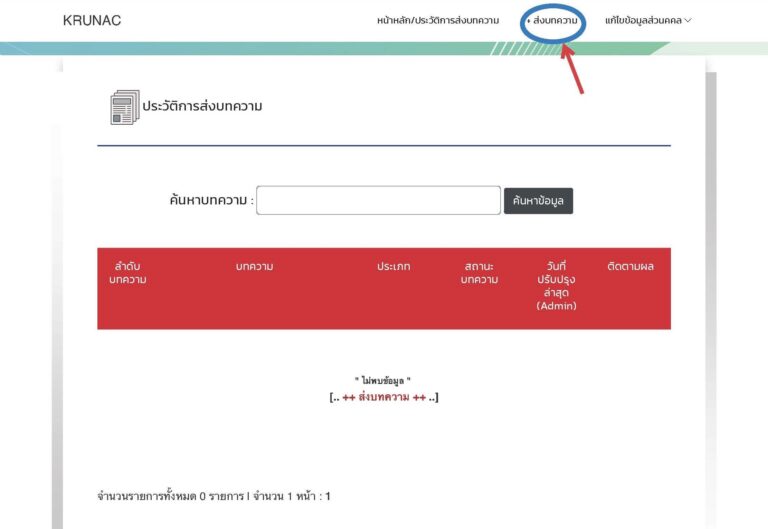
Step 1: Start Submission

  • ▪️Log in to the system.
  • ▪️Click the “+ Submit Paper” menu at the top.

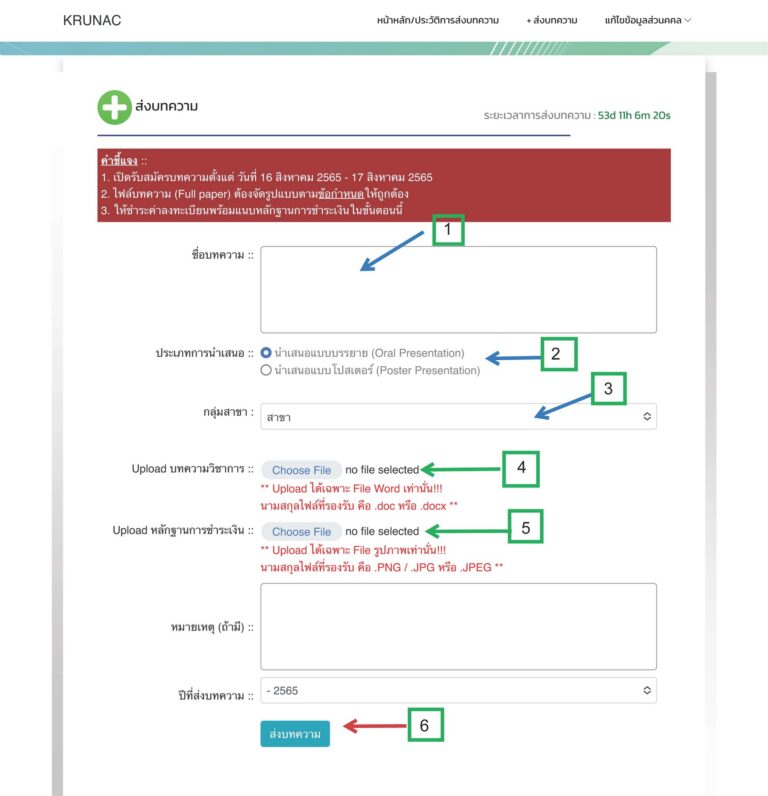
Step 2: Fill Details & Upload

  • ▪️Complete fields [1] to [5].
  • ▪️Upload your paper and proof of payment.
  • ▪️Click the “Submit” button [6].

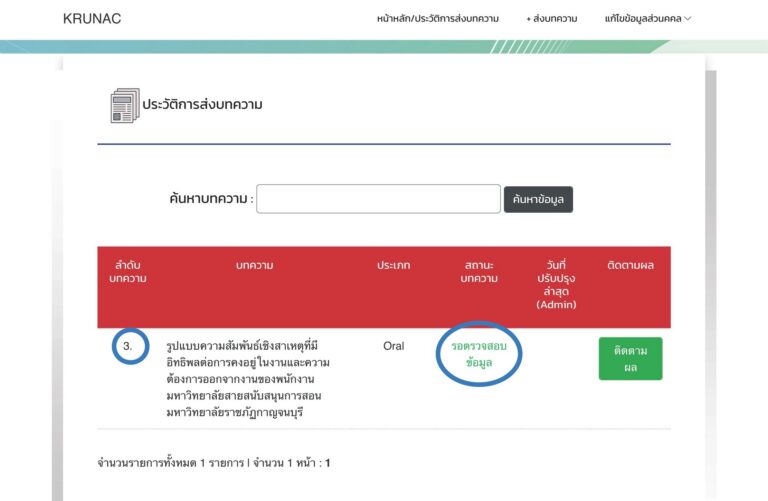
Step 3: Track Status

  • ▪️Upon successful submission, your “Paper ID” will appear.
  • ▪️Status will show as “Awaiting Verification”.

Important Notes:
Save Your Paper ID: Please note down your Paper ID.
Whitelist Email: Add rdiconf@kru.ac.th to your contacts to ensure you receive our emails.
▶ The conference team will verify your paper formatting, payment proof, and conduct a Plagiarism Check.